Dynamics 365, Power Platform & Copilot Studio

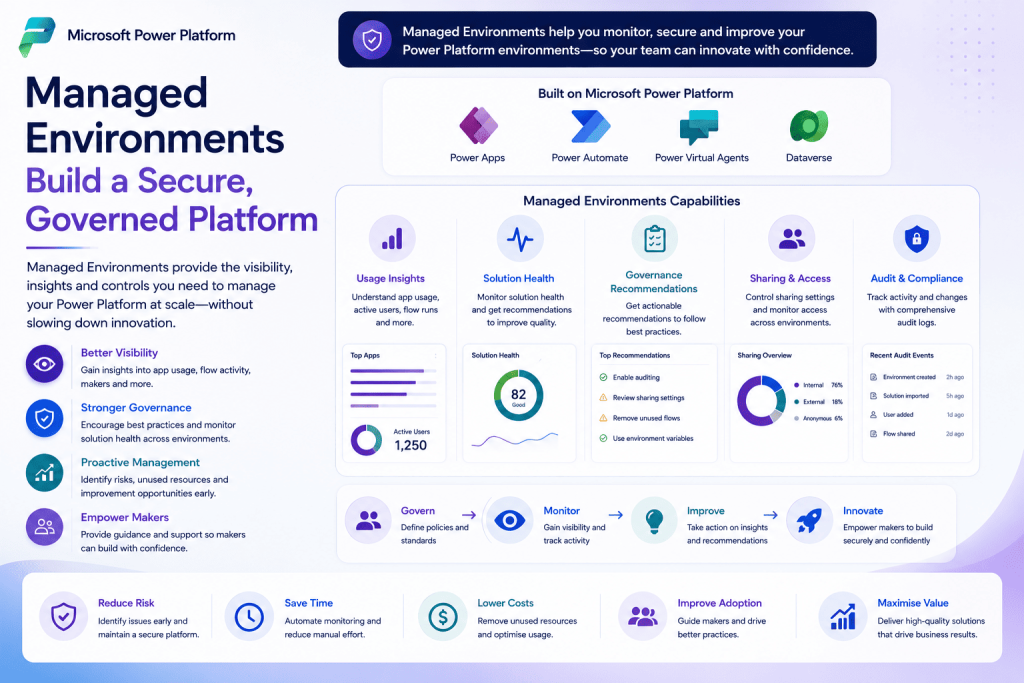
Managed Environments in Power Platform: Building a Secure and Governed Platform

As Power Platform adoption accelerates across organisations, maintaining governance becomes just as important as building applications. Without the right controls, environments can quickly become difficult to manage, leading to inconsistent development practices, security risks, and limited visibility into platform usage. Managed Environments help organisations address these challenges by introducing governance capabilities that improve visibility, encourage […]

Managed Environments in Power Platform: Building a Secure and Governed Platform Read More »
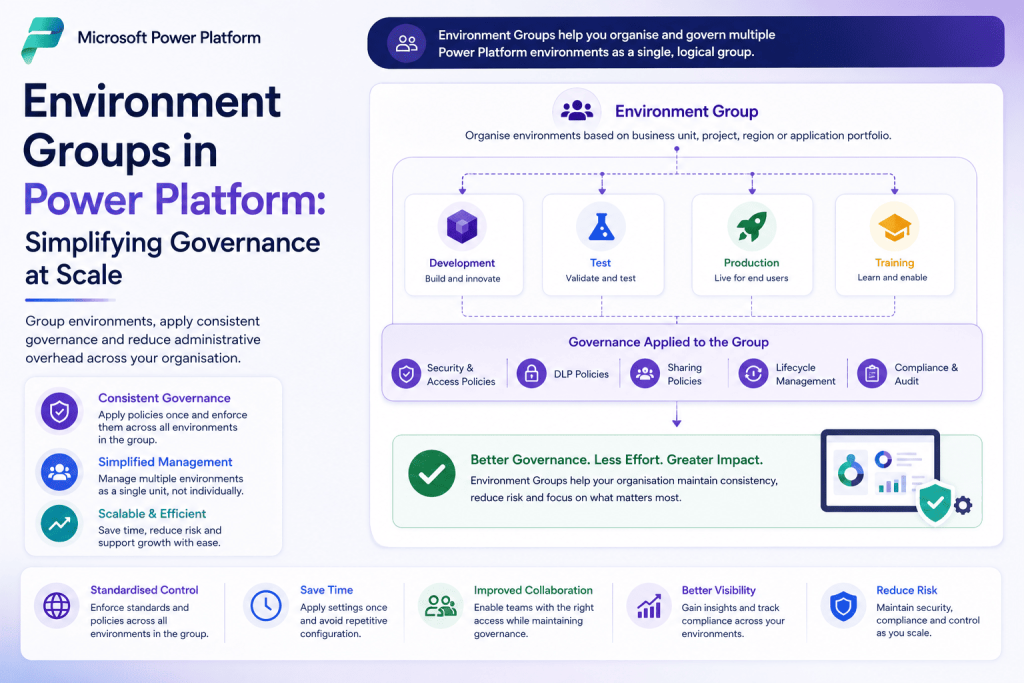
Environment Groups in Power Platform: Simplifying Governance at Scale

As Power Platform adoption grows, organisations often find themselves managing an increasing number of environments for development, testing, production, training, and experimentation. While this flexibility is valuable, it can also introduce governance challenges if each environment is managed independently. Environment Groups help address this by allowing administrators to organise related environments and apply governance policies

Environment Groups in Power Platform: Simplifying Governance at Scale Read More »

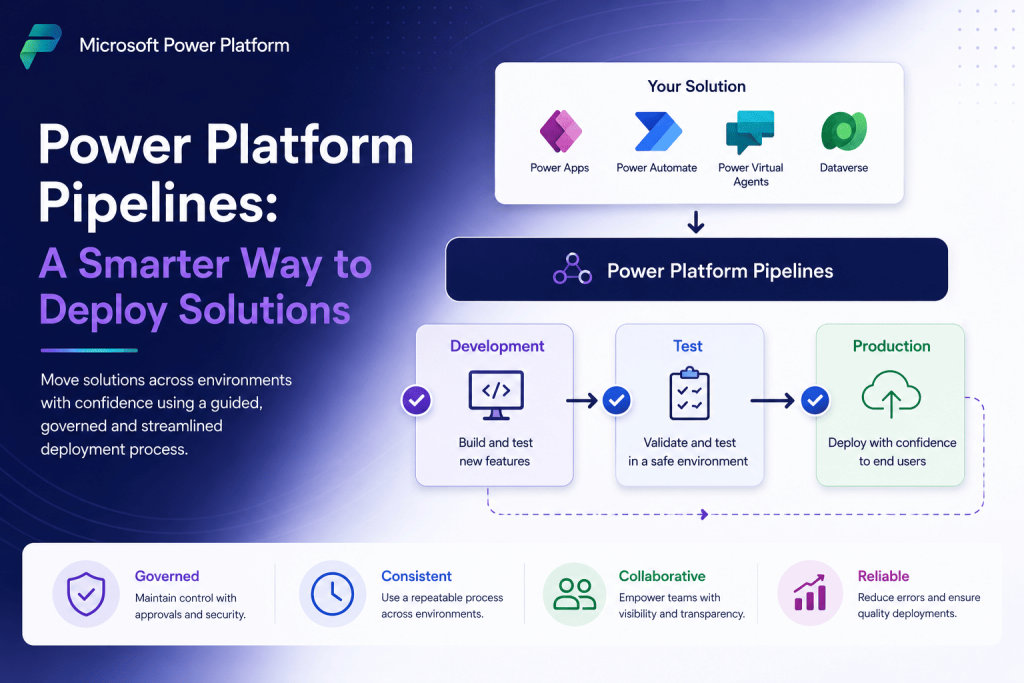
Power Platform Pipelines: A Smarter Way to Deploy Solutions

Building a Power Platform solution is only part of the journey. Moving that solution safely from development to testing and eventually into production is just as important. Unfortunately, many organisations still rely on manual exports and imports, making deployments time-consuming and increasing the risk of mistakes. Power Platform Pipelines provide a more structured approach by

Power Platform Pipelines: A Smarter Way to Deploy Solutions Read More »

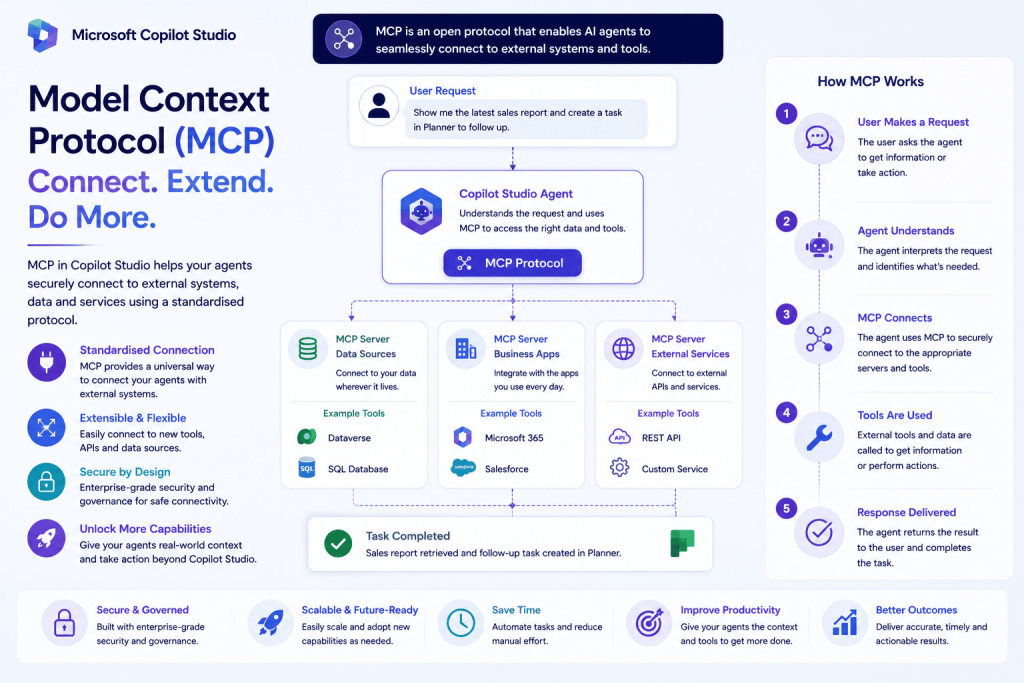
Model Context Protocol (MCP): Why It Matters for Microsoft Copilot Studio

As AI agents become more capable, they’re expected to do far more than answer questions. They need to retrieve business data, interact with external systems, execute actions, and work across multiple applications. Traditionally, every integration required custom APIs, connectors, or bespoke development. The Model Context Protocol (MCP) is changing this approach. Instead of building a

Model Context Protocol (MCP): Why It Matters for Microsoft Copilot Studio Read More »

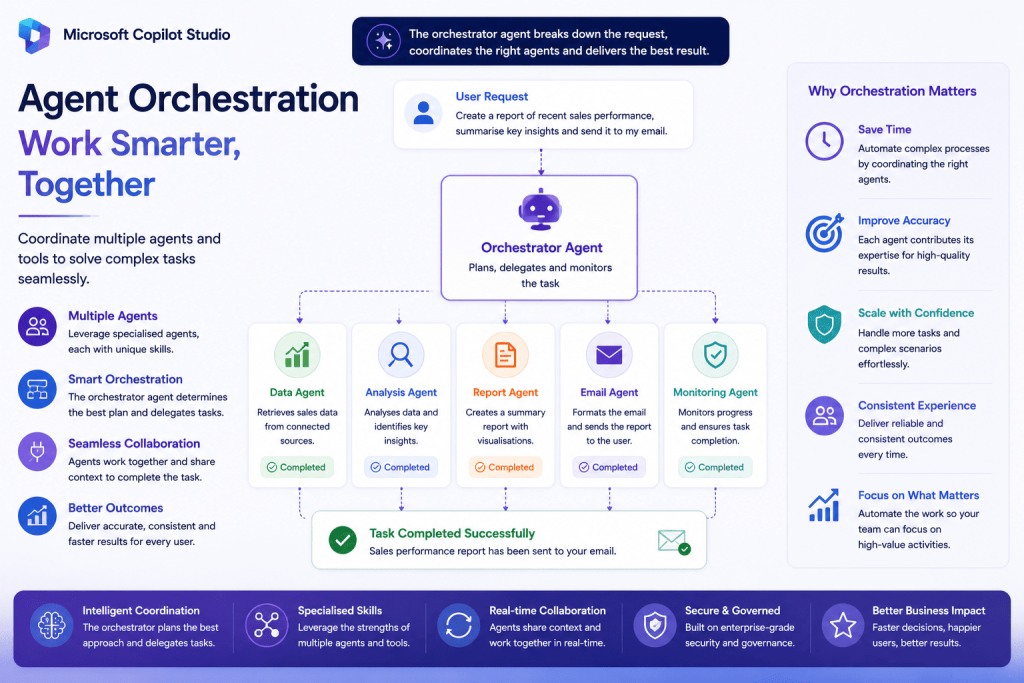
Agent Orchestration in Microsoft Copilot Studio: Building AI Agents That Work Together

As AI agents become more capable, organisations are moving beyond the idea of building one agent that does everything. Instead, they’re creating multiple specialised agents, each responsible for a specific business function. This is where Agent Orchestration comes in. Rather than expecting a single AI agent to answer every question or complete every task, Copilot

Agent Orchestration in Microsoft Copilot Studio: Building AI Agents That Work Together Read More »

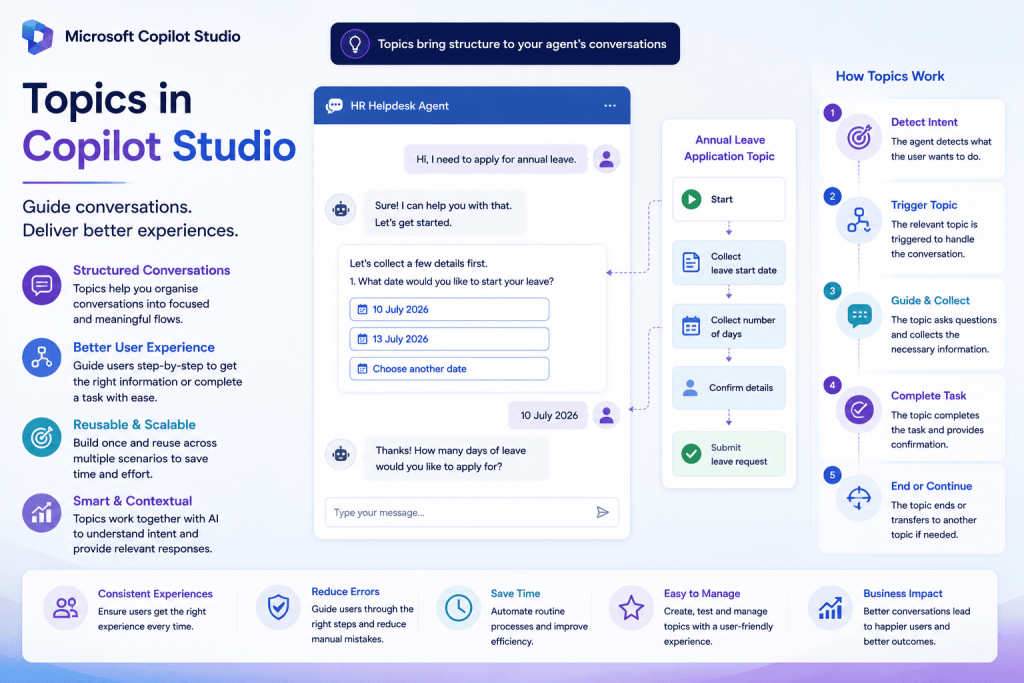
Topics in Microsoft Copilot Studio: When and Why You Should Use Them

As Microsoft Copilot Studio continues to evolve with autonomous agents and generative AI, it’s easy to assume that traditional Topics are no longer relevant. In reality, topics remain an essential part of building reliable and structured conversational experiences. While generative AI is excellent at understanding natural language, there are many business scenarios where organisations need

Topics in Microsoft Copilot Studio: When and Why You Should Use Them Read More »

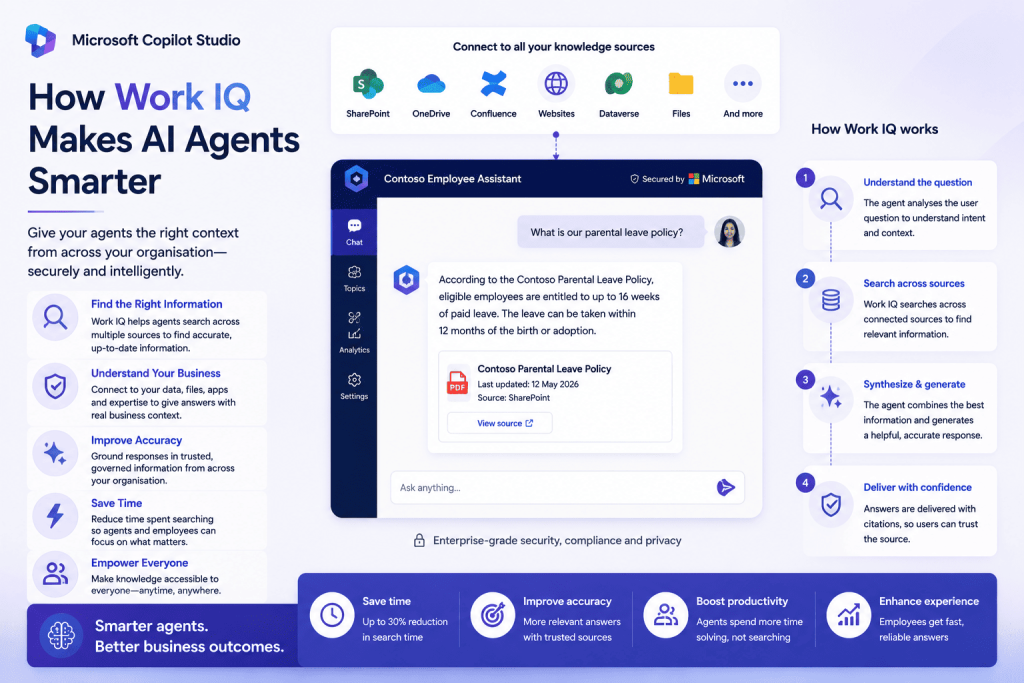
Work IQ in Microsoft Copilot Studio: Giving AI Agents Real Business Context

As organisations adopt AI agents, one challenge quickly becomes apparent—an agent is only as effective as the information it can access. Even the most advanced AI can struggle to provide meaningful assistance if it doesn’t understand how work happens across the business. That’s where Work IQ comes in. Introduced as part of Microsoft Copilot Studio,

Work IQ in Microsoft Copilot Studio: Giving AI Agents Real Business Context Read More »

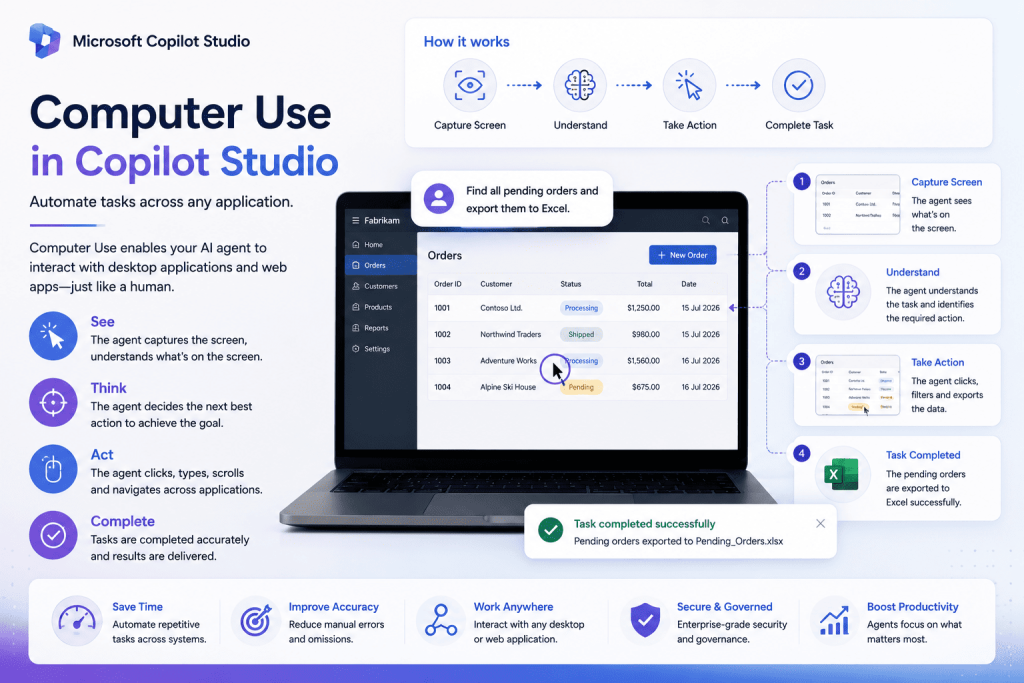
Computer Use in Microsoft Copilot Studio: Automating Tasks Across Any Application

One of the biggest challenges organisations face when adopting automation is that many business applications don’t provide APIs or modern integration options. As a result, employees still spend countless hours performing repetitive tasks such as entering data, updating records, copying information between systems, or navigating legacy applications. Microsoft is addressing this challenge with Computer Use

Computer Use in Microsoft Copilot Studio: Automating Tasks Across Any Application Read More »

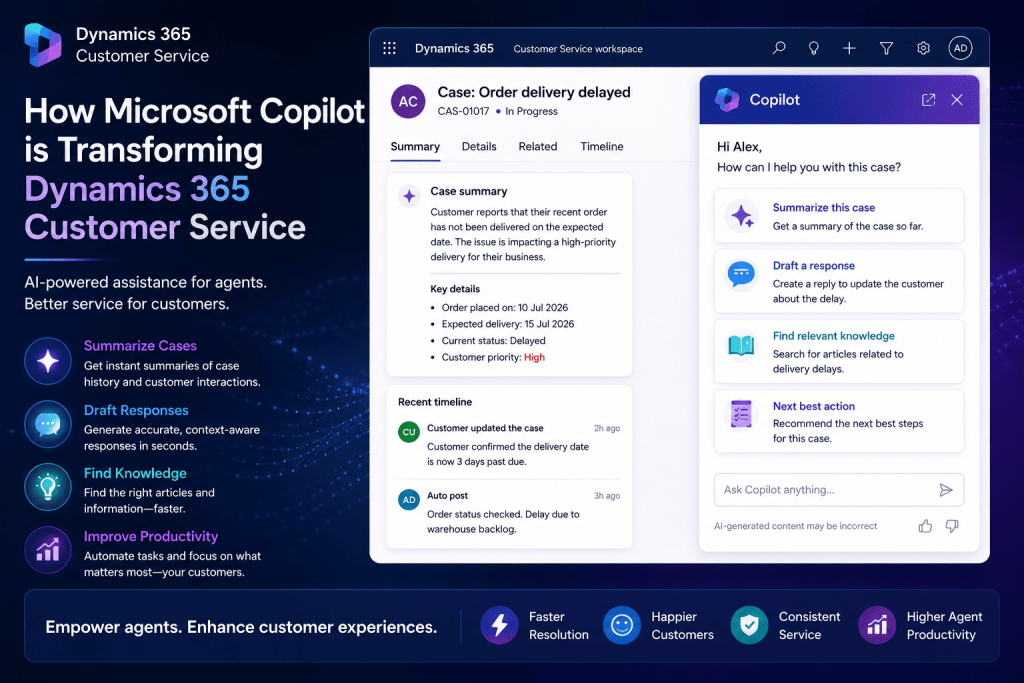
How Microsoft Copilot is Transforming Dynamics 365 Customer Service

Customer service agents spend a significant portion of their day reading lengthy case histories, searching for knowledge articles, drafting responses, and updating records after every customer interaction. While these tasks are essential, they often reduce the time available for actually helping customers. Microsoft Copilot is changing this experience by bringing generative AI directly into Dynamics

How Microsoft Copilot is Transforming Dynamics 365 Customer Service Read More »

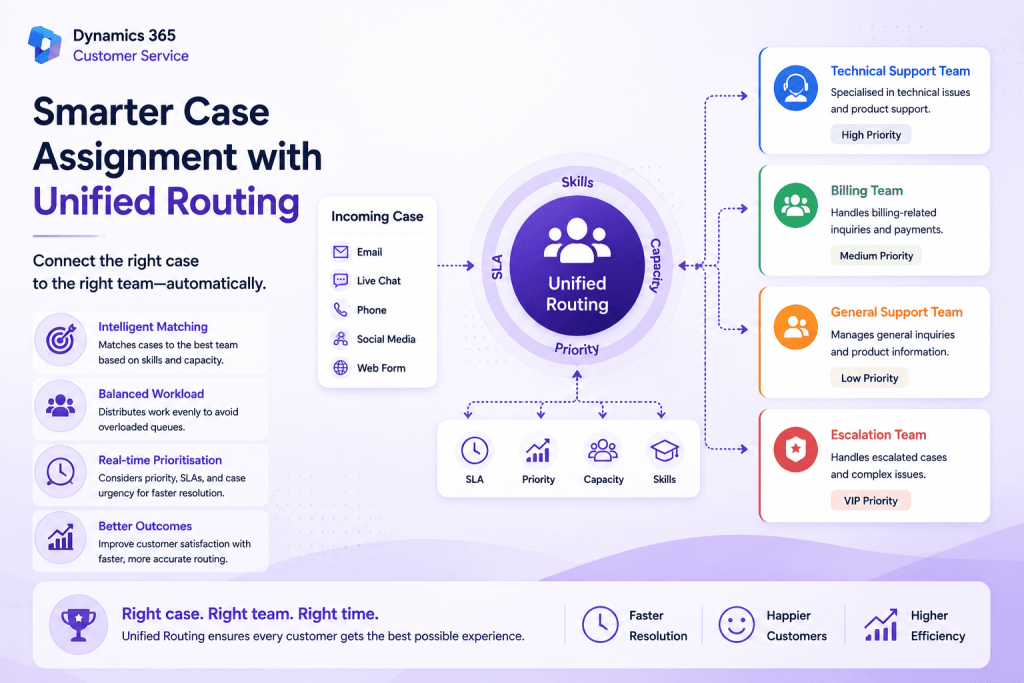
Smarter Case Assignment with Unified Routing in Dynamics 365 Customer Service

Getting a customer enquiry to the right support agent is just as important as creating the case itself. Even if cases are created automatically, assigning them manually can slow down response times and lead to an uneven distribution of work across the team. Unified Routing in Dynamics 365 Customer Service addresses this challenge by intelligently

Smarter Case Assignment with Unified Routing in Dynamics 365 Customer Service Read More »